This article answers common questions about the AAPA Salary Report, including how to complete the Salary Survey, what report access you receive after participating, how to purchase and access the full report, the sharing policy, and the refund policy.
Completing the AAPA Salary Survey
I Cannot Log In with My Member Number to Complete the Salary Survey
If you are having trouble logging in with your member number to access the Salary Survey, your account may be opted out of AAPA Research studies and/or third-party communications.
To resolve this, update your communication preferences in your member profile to opt in to AAPA Research studies and third-party communications. Once updated, you should be included in future survey work.
If you need immediate access to the current year's survey, contact AAPA Customer Care for assistance.
What Do I Receive After Completing the Survey?
Everyone who completes the AAPA Salary Survey receives a PDF of the Summary of National Findings via email once it is released in late June. Completing the survey also gives you online access to this summary within the AAPA Digital Salary Report platform.
The summary covers approximately the first 30 pages of the roughly 200-page full publication and includes high-level data for specialties, settings, and locations, but does not include all tables.
Complimentary access to the complete Salary Report and all tables is an AAPA member benefit, reflecting the time and resources required to produce the publication.
Sharing the Salary Report
The Salary Report is a member benefit or is available for purchase by nonmembers and is not intended for redistribution. You may reference data from the Salary Report in negotiations or presentations with appropriate citations, but downloading and sharing the full report with another person is not permitted.
Sharing a table and citing AAPA as the source during a compensation discussion is acceptable. Reproducing the entire report and distributing it as part of a compensation analysis is not.
For questions about membership, contact customercare@aapa.org. For questions about the Salary Report, contact research@aapa.org.
Specialty Relevance and Purchase Guidance
AAPA believes that by providing the 10th and 90th percentiles, typical compensation can be estimated for any specialty. If you are unsure whether the report contains sufficient data for your specific specialty, contact AAPA at research@aapa.org with your specialty, state, and years of experience.
Responses to specialty data inquiries may take up to five business days due to high email volume. All nonmembers who completed the Salary Survey receive access to the Summary of National Findings, which includes high-level data for specialties, settings, and locations.
Refund Policy
Salary Report purchases are nonrefundable. This policy is stated during the purchase process and on your payment receipt.
Applying Your Purchase Toward AAPA Membership
If you purchased the Salary Report at $275 and would like to apply those funds toward an AAPA membership instead, you can upgrade to a Fellow Professional membership for an additional $20 (regular membership price is $295).
AAPA membership includes:
- Over 250 free or discounted activities in Learning Central
- Complimentary access to the Salary Report and PA Portfolio
- Discounts on UpToDate and Canopy Medical Spanish
- PA news and community through News Central and The AAPA Community
- A subscription to the journal JAAPA and regular clinical email alerts through Medwatch
- Advocacy resources including Reimbursement resources and State PA Laws and Regulations
- A full listing of member discounts available here
To apply your Salary Report purchase toward a membership, contact AAPA Customer Care for assistance.
How to Access the Salary Report
Once the Salary Report has been purchased or added to your account as a member benefit, you can access both the digital version and the full PDF in two ways.
Option 1: Direct Link
Click here and enter your AAPA account login credentials to access the reports directly.
Option 2: Through the AAPA Website
- Visit aapa.org and log in to your account.
- Select Career Central and scroll down to Featured Products & Services.
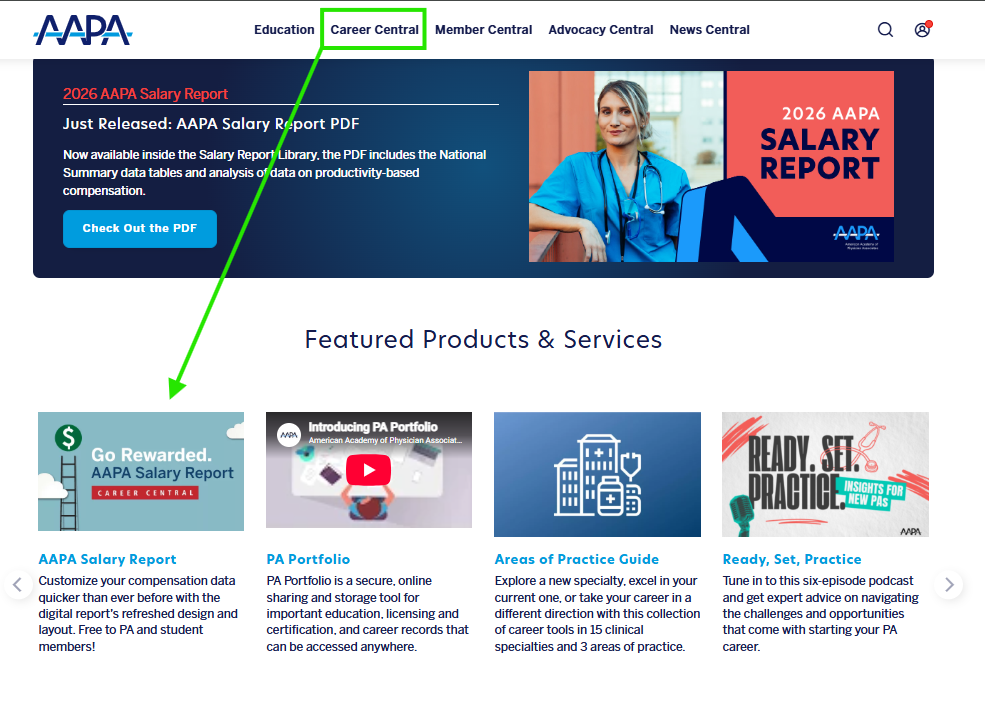
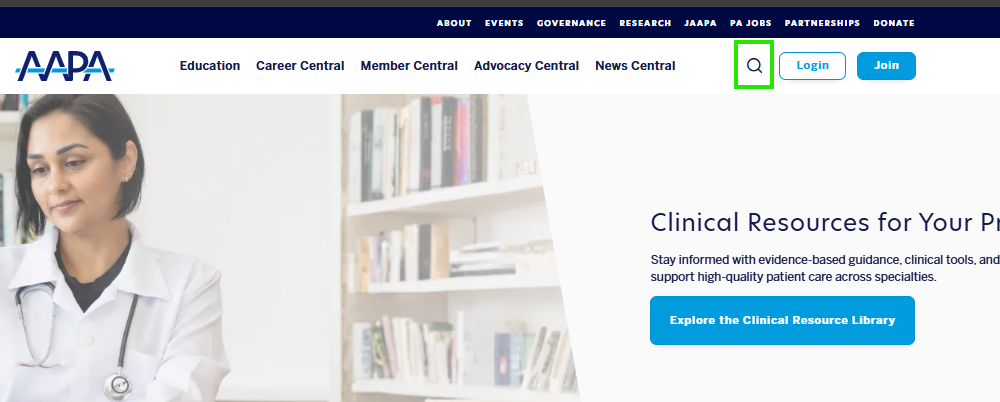
- Alternatively, use the magnifying glass search icon from any aapa.org page and search for Salary Report.
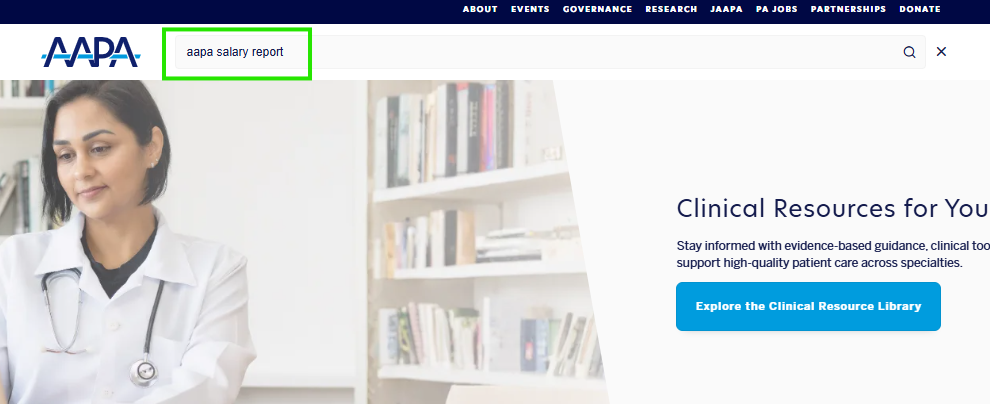
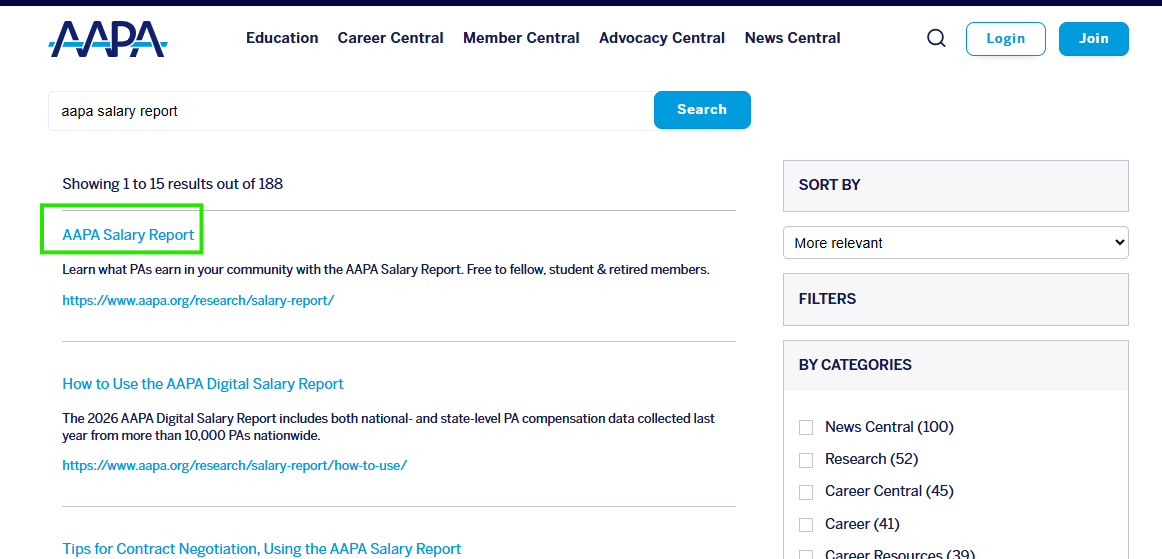
- Select the report from the search results.
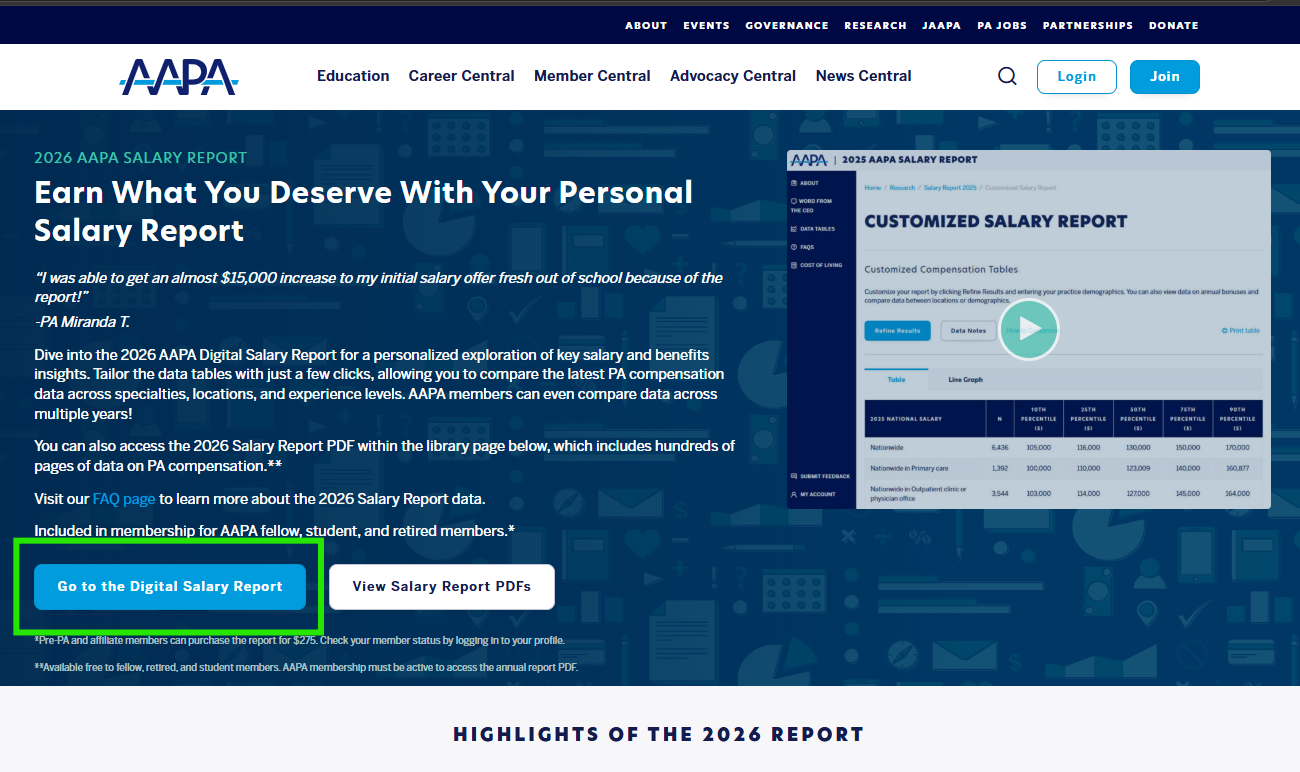
5. Select Go to the Digital Salary Report.
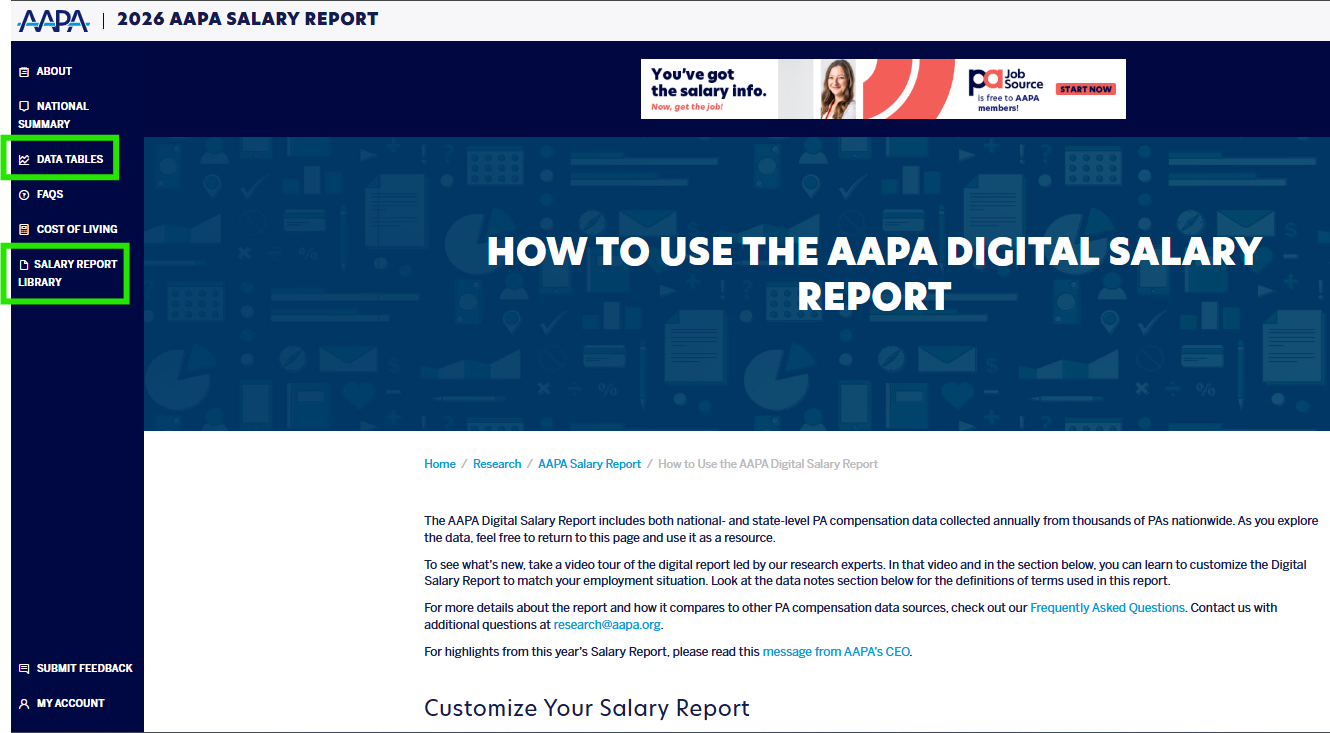
- The Digital Salary Report Options will appear on the left-hand side of the screen. The full report PDF will also be available here once released in July. "Data Tables" is where you can manage the digital report data, and the PDFs are located in the "Salary Report Library."
Important Notes
- The Salary Report Summary of National Findings is released in late June and emailed to all survey participants.
- Complimentary access to the full Salary Report and Digital Salary Report is an AAPA member benefit.
- For specialty-specific data inquiries, email research@aapa.org with your specialty, state, and years of experience. Allow up to five business days for a response.
Salary Report purchases are nonrefundable, but the $275 purchase amount may be applied toward an AAPA Fellow Professional membership (regular price $295), leaving a balance of only $20. Contact AAPA Customer Care for assistance.
Sharing a table from the Salary Report with appropriate citation is acceptable. Redistributing or reproducing the full report is not permitted.
Related Articles and Links
Was this article helpful?
That’s Great!
Thank you for your feedback
Sorry! We couldn't be helpful
Thank you for your feedback
Feedback sent
We appreciate your effort and will try to fix the article